Microsoft 365 security: the 10 controls that are yours
In Microsoft 365, the platform is Microsoft's and the keys are yours. According to Microsoft, MFA and blocking legacy authentication stop more than 99.9% of account attacks.
Microsoft recognises three cloud service models. In SaaS, where Teams, SharePoint, OneDrive and Exchange Online live, it takes on almost the entire technical component. Even so, in every model, information and identities always belong to the customer.
In the past, reaching documents meant being inside the office network. Today all it takes is an email address and a password, on any computer connected to the internet.
01Microsoft protects data centres and the platform; data, accounts, access and devices are yours.
02Most incidents stem from configuration: accounts without MFA, open links, active ex-staff.
03Microsoft says MFA plus blocking legacy authentication stops over 99.9% of account attacks.
04DataRoad reviews 10 controls every quarter; the initial review takes 5 working days.
In this article
A compromised administrator account in Microsoft 365 opens up the board's email, the contracts in SharePoint and the HR folders, within minutes and from any country. Microsoft 365 security is split into two halves: Microsoft guards the infrastructure; your organisation is responsible for the data, identities, permissions and the devices your people use. It is written in Microsoft's own official documentation. The idea that "it's in the cloud, so it's protected" is right about the platform and wrong about everything else. Here is the exact split and the ten controls that fall to you.
What does the board need to know in 30 seconds?
Four fronts belong to the business Information, identities, permissions and devices.
The threat lives in the configuration Accounts without MFA, public links and active former employees cause more damage than any Microsoft failure.
More than 99.9% The share of common account attacks that Microsoft says are stopped by MFA plus blocking legacy protocols.
Ten quarterly checks Enough to cover the essentials.
Who is responsible for each layer of the service?
Microsoft recognises three cloud service models. In SaaS, where Teams, SharePoint, OneDrive and Exchange Online live, it takes on almost the entire technical component. Even so, in every model, information and identities always belong to the customer.
Think of a top-tier office building: security at reception, CCTV, solid walls. That is Microsoft's role. Who gets a copy of the key to your floor and what is left lying on the desk is down to you. If the copies circulate, reception will never know.
Why is identity the new line of defence?
In the past, reaching documents meant being inside the office network. Today all it takes is an email address and a password, on any computer connected to the internet.
Microsoft's security defaults, at no extra cost, force every user to register MFA (usually approving a prompt on their phone), require MFA for every administrator session and shut off legacy authentication protocols. Many tenants created from 22 October 2019 already have them switched on, though not all, and we often find organisations that disabled them because they were "a nuisance". The options are set out in our guide to MFA for businesses.
Three answers your team should be able to give within minutes:
How many global administrators are there? The right number is around two or three, never ten.
Do all accounts have MFA? Including shared mailboxes and service accounts, or else they are blocked from signing in.
Can people who left still get in? Accounts of anyone who left the company in the last year must be disabled.
Was external sharing chosen or inherited?
Microsoft states that, out of the box, SharePoint and OneDrive allow sharing outside the organisation. Working with clients and partners this way is practical, provided it is a decision and not an accident.
The main danger lies in "Anyone" links: they open the document without authentication, and every forward carries it further.
Anonymous links Switched off or given an expiry date.
Guests Access only for those who sign in.
Critical areas No external sharing for finance, HR and the board.
Clean-up The list of external guests reviewed every quarter.
Email has its own risks: automatic forwarding to outside addresses, rules planted by attackers, domains that are easy to spoof. Details in where email protection fails in Microsoft 365.
Who protects laptops and information?
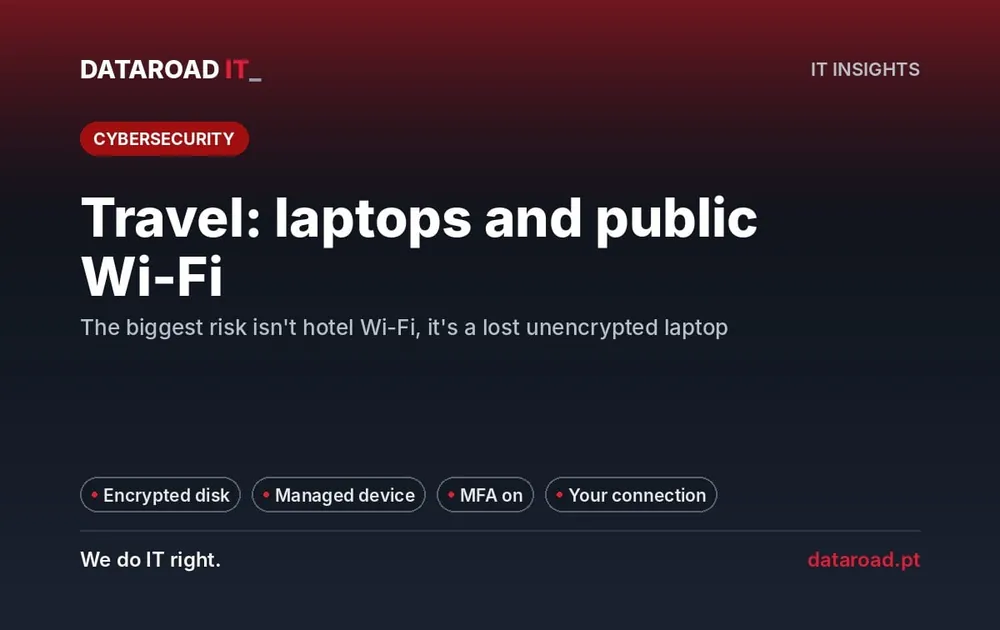
Picture a laptop without disk encryption, with Outlook and OneDrive synced, left on the back seat of a taxi: it is a data leak with a battery. Microsoft does not manage it; the documentation places device protection on the customer's side. That requires an encrypted disk, an up-to-date system, managed antivirus and, ideally, policies that block non-compliant devices.
When it comes to information, the business has two choices to make: which information is confidential and who can see it; and how long it is kept. Backup is part of the second and, contrary to what many assume, it is not included. We explain why in Microsoft 365 backup. Some protections depend on the licence; see Microsoft 365 licensing and security for SMEs.
Which ten controls do we review every quarter?
#
Check
Frequency
1
MFA on 100% of accounts, with no forgotten exceptions
Monthly
2
Legacy authentication protocols blocked
Once, confirmed quarterly
3
Global administrators kept to a minimum and separate from day-to-day accounts
Quarterly
4
Leavers' accounts disabled on the day they leave
At every departure
5
"Anyone" links switched off or time-limited
Once, reviewed quarterly
6
External guests reviewed and cleaned up
Quarterly
7
Automatic forwarding to outside addresses blocked
Once
8
Mobile devices and laptops with encryption, updates and central management
Monthly
9
Independent backup with restore test
Quarterly
10
Auditing enabled and alerts for suspicious sign-ins
Continuous
How did it go at a public body?
Around 50 mailboxes at the União das Freguesias de Massamá e Monte Abraão were moved by DataRoad to Exchange Online, keeping their history and folder structure. Once the move was complete, workstations and phones were reconfigured and validated, with email, calendar and contacts syncing without errors. The organisation also gained control, retention and auditing over its email. The full project is in the parish council case: migrating email to the cloud.
What does DataRoad take on, and in which plan?
Management of Microsoft 365 for business, covering identities, MFA, sharing and devices, is included in the IT Unlimited plans. In IT Unlimited Essential, designed for organisations from 10 workstations, support is remote and by phone and covers almost all of these tasks, without site visits.
Frequently asked questions
Does Microsoft take the blame if one of our accounts is breached?
As a rule, no. Accounts, access and MFA are the customer's responsibility; an intruder with stolen credentials comes in through a door the business controls.
Is switching on security defaults enough?
For many SMEs, it is a solid starting point at no extra cost. Licences with conditional access let you require managed devices or refuse sign-ins from certain countries.
Does restricting external sharing get in the way of working with clients?
No, if the rule is well tuned: authenticated guests, anonymous links cut or limited, and blocking only in sensitive areas.
How often should the review happen?
A full review every three months and a brief check whenever someone joins or leaves, because new roles, guests and exceptions change the configuration without warning.
Next step: your Microsoft 365 audited in 5 working days
We analyse accounts, MFA, administrators, sharing, forwarding, devices and backups, and deliver fixes in order of risk. Request a no-commitment proposal.
More than 10 workstations · support contract · remote, on-site and phone support.