
7 min read · DataRoad
In summary
- A classic VPN connects the remote computer to the entire company network. With a stolen password, the attacker gains the same access.
- The alternative is access via an app: each person only accesses what they need to work, and each access is recorded.
- Honestly: for many SMEs, a VPN with multi-factor authentication, company-owned equipment, limited access, and an updated firewall is still enough.
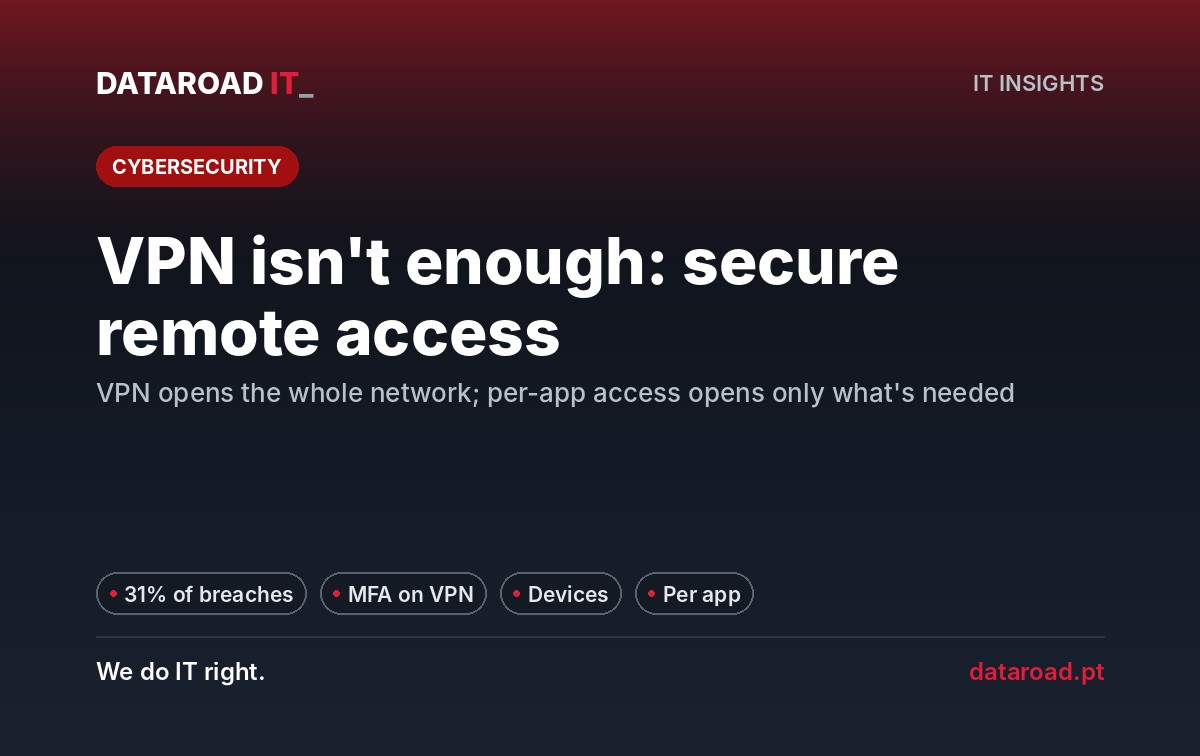
- The VPN equipment itself is a target: the exploitation of software flaws was the gateway to 31% of the breaches analyzed by Verizon in 2026.
In this article
- What VPNs do well — and where they fall short
- The four real risks of a poorly protected VPN
- When a VPN with MFA still arrives
- When you switch to app access
- The four-step plan, in this order
- A real case: firewalls and VPNs for teleworking
- Example: a company with 40 employees
- Frequently Asked Questions
- Review of remote access in 5 working days
Secure remote access It’s no longer just about a VPN and a password. The short answer: protect the VPN with multi-factor authentication, limit what it can access, and for most of the team, switch the entire network access to access only the applications that each person needs. And if your company is small and disciplined, you may not need more than that — we explain when.
Many companies rushed to set up teleworking in 2020: a VPN on the firewall, one password per person, and it worked. The problem is that it remains the same, while the attacks have changed.
What VPNs do well — and where they fall short
A VPN encrypts the connection between the laptop and the office. In a cafe or a hotel, no one can read what is happening. This still remains useful.
What a VPN doesn’t do, by itself, is confirm that the person on the other end is indeed the employee, verify that the computer is up to date and protected, or limit what that computer can access after logging in.
The four real risks of a poorly protected VPN
- Stolen passwords. A well-crafted phishing email arrives to obtain the credentials. Without a second factor, the VPN accepts them as if they were from the employee.
- Personal computers. The home laptop, shared with the family and without updates, connected to the company network, brings with it everything that is inside it.
- Displacement within the network. Once inside, the attacker looks for the file server, the management software, and—most importantly—the backups. On a “flat” network, there’s nothing to stop them.
- The VPN equipment itself. It is turned towards the internet and is automatically searched when a failure occurs. By 2025, Verizon highlighted attacks directed at perimeter and VPN equipment; by 2026, exploiting software flaws became the most common entry point, with 31% of the analyzed breaches. A VPN device that is updated is a ready-to-use gateway.
When a VPN with MFA still arrives
We don’t sell complexity to those who don’t need it. For many SMEs, a well-configured VPN remains a solid answer. It’s enough to be able to answer “yes” to all these questions:
- All VPN access requests require a second factor (app on the phone), without exceptions?
- Only company-owned equipment, managed and updated, connects to the VPN?
- Does each user group only get what it needs (for example, accounting only reaches the management software)?
- Does the firewall and VPN portal receive security patches in days, not in months?
- There is record of who connected, when and from where — and does anyone look at those records?
- Does no provider have permanent access?
If the answer is yes to everything, your VPN is doing its job. If it fails in two or more ways, the problem isn’t the VPN — it’s the way it’s set up.
When you switch to app access
| Situation | Will VPN with MFA arrive? | Recommendation |
|---|---|---|
| Few remote users, all with company laptops | Yes, well configured | MFA, group access, updated firewall |
| Employees working on personal computers | No | Email and files via the browser, without access to the internal network |
| Management software or ERP used remotely | It depends | Publish the application with strong authentication, instead of opening the network |
| External suppliers with regular access | No | Individual accounts, limited to the system and active only during intervention |
| Sensitive data (health, financial, customer data) | Rarely | Access via application with record of each access |
The four-step plan, in this order
1. Second factor in the VPN, already
It is the step with the highest return and the lowest cost. Most enterprise firewalls support multifactor authentication, often integrated with Microsoft 365. We explain the options in the guide. Multifactor authentication for businesses.
2. Only company-owned equipment is included in the network
Personal computers are limited to email and files in the browser, with rules preventing the downloading of data. Working with company data is different from being within the company's infrastructure.
3. Applications instead of the network
Most people need email, files, management software, and sometimes a remote work environment. None of these things require being inside the entire network. Published with strong authentication, each application is its own door, with its own log. The VPN is for those who manage the systems.
4. Limiting what the VPN achieves
Backups, cameras, and network management equipment should never be within the reach of a remote user. The firewall divides the network into zones and only allows the necessary traffic through. Providers come with their own account, multi-factor authentication, and access that disconnects at the end of the intervention.
A real case: firewalls and VPNs for teleworking
Na FreshDesign, DataRoad installed a next-generation firewall and an encrypted VPN to allow the team to remotely access internal servers and applications. The project included centralized access and permission control, filtering and intrusion prevention, permanent remote monitoring with proactive alerts, and two internet connections with automatic balancing and failover if an operator fails.
The point that matters to a manager: the VPN hasn’t “installed and forgotten about it.” The contract includes updates to the firewall, optimization of the rules, and monitoring of the VPN’s stability — exactly what separates a secure VPN from an open door.
Example: a company with 40 employees
Example (illustrative scenario): 40 positions, 10 people working from home on a regular basis. The configuration we would recommend:
- Email and files in Microsoft 365, With multi-factor authentication and access conditional to the type of equipment.
- Management software published in a remote work environment with strong authentication.
- VPN reserved for two administrators, with a second factor, in a separate management area.
- Supplier accounts created through intervention and deactivated at the end.
In most cases, this is done with what the company already pays in firewalls and licenses: the architecture is changed, not the bill. The same logic is developed in Zero Trust in 4 steps for SMEs, and the corrections of VPN equipment must follow a policy of updates with short deadlines.
Frequently Asked Questions
Should I turn off the VPN?
Not immediately. First, enable multi-factor authentication and limit what the VPN can achieve. Then, switch people to app access. In the end, the VPN is only for those who manage the systems.
Is a VPN with multi-factor authentication enough for a SME?
It could be, if only company equipment connects, if each group achieves only what it needs, if the firewall is updated and if access is logged. If any of these conditions fails, the risk remains high.
Can I let employees use their personal computers?
For email and files in the browser, with rules that prevent downloading data, yes. For accessing the company's internal network, no.
Does this mean I have to buy a new solution?
In most SMEs, no. It requires better configuration of the existing firewall and Microsoft 365, and it requires someone to manage access on an ongoing basis.
Review of remote access in 5 working days
We analyze your VPN, who connects and what, the provider accounts and the firewall status, and deliver a written plan to close the gaps in order of priority. For companies with more than 10 locations · contract of assistance · remote, on-site and telephone support. Management firewalls and security and of remote work It is included in the plans IT Unlimited Premium.
Review of remote access in 5 working days
Find out if your VPN still works — and what changes if it doesn’t.
Sources
- Verizon — 2026 Data Breach Investigations Report, Executive Summary
- Verizon — 2025 Data Breach Investigations Report (attacks on perimeter equipment and VPNs)
- CISA — Known Exploited Vulnerabilities Catalog
DataRoad projects and success stories
IT Unlimited Essential
Desde 395 €por mês (+ IVA), para 10 postos
- Includes unlimited helpdesk, PC management, monitoring, patch management, and remote support
- Remote and telephone support only
no travel included - Ticketing support
with orders portal - Incident response with an SLA
- Update management
and security patches - Monthly activity report
- Helpdesk during working hours
by email and telephone - The price may increase with the number of stations, the size of the network, servers, websites, printers, NAS devices, critical systems, and Apple equipment.
IT Unlimited Premium
Desde 750 €por mês (+ IVA)
- Includes unlimited helpdesk, Microsoft 365 management, PC management, antivirus/EDR, monitoring, patch management, and remote support
- Unlimited in-person support
- With travel included
- Monitoring and alarm systems
- Complete IT infrastructure management
- Cybersecurity included
managed firewall and antivirus - Priority SLA
immediate response to critical incidents - No limit on hours
- Dedicated helpdesk
with priority in the queue - The price may increase with the size of the park and the network, servers, websites, printers and NAS, critical systems, and Apple equipment.
IT Unlimited Premium 365
Desde 1.200 €por mês (+ IVA)
- Includes unlimited helpdesk, Microsoft 365 management, PC management, antivirus/EDR, monitoring, patch management, and remote support
- Everything that’s included
no IT Unlimited Premium - 24 hours a day, 7 days a week, 365 days a year support
- Out-of-hours support: evenings,
weekends and bank holidays - Dedicated technical account manager
- Regular IT strategic alignment meetings
- Business Continuity Plan (Disaster Recovery)
- Priority access to network and infrastructure projects
- Customised executive reports
- The price may increase with the size of the park and the network, servers, websites, printers and NAS, critical systems, Apple equipment and off-hours coverage
Don't know which one to choose? Talk to us and receive a fixed-price quote · Como se calcula o preço
At DataRoad, technology is a passion. We really love what we do, and that shows in every network we install, in every problem we solve, and in every company we support.








































































![mun[it] logo, a digital marketing agency — a DataRoad client](https://www.dataroad.pt/wp-content/uploads/2026/09/logo-cliente-munit.png)






































