7 internal cybersecurity policiesMost security incidents in SMEs do not start with a sophisticated attack. They start with someone doing what they thought was normal: reusing their email password on the courier's website, opening the attached “invoice”, plugging in the USB stick they brought from home, giving their password to the new colleague “just for today”. None of these people did anything wrong according to company rules – because the company had no written rules. A security policy is not a thirty-page legal document; it is a single sheet that says what is and is not done, and which everyone has read. These are the seven we consider the bare minimum.
1. Password and authentication policy
The essentials: long passwords (passphrases of 14 or more characters rather than short combinations with symbols), different for each service, stored in the company password manager and never shared by email or message. Mandatory multi-factor authentication for email, files and any remote access — with no exceptions for management, who are the preferred target. Shared account passwords are changed whenever someone leaves. We explained the why and how in the article about password managers in the company.
2. Equipment policy
Which devices can access company data and under what conditions. Simple rule: company devices have installed protection, automatic updates and encrypted drives; personal devices access email and files via the browser, without downloading to the drive. Laptops must not be left in cars; loss and theft must be reported on the same day so access can be blocked remotely. Nobody installs software outside the approved list — and the list exists.
3. Email and communications policy
How to recognise a suspicious email and what to do with it (forward it to IT, do not reply, do not click). Requests to change suppliers' bank details must always be confirmed by telephone, using a previously known number — never the one provided in the email. It is the most effective defence against invoice tampering fraud, which we describe in guide to business email fraud. Customer data must not be sent via personal email or messaging apps.
4. Access policy
Each person accesses only what they need for their role. Shared folder and SharePoint permissions are reviewed twice a year. Administrator rights on computers are restricted to the IT team. Access for external suppliers is individual, temporary and logged. When someone changes role, old accesses are removed, rather than just adding new ones. This is the practical translation of the principle of least privilege of Zero Trust for SMEs.
5. Backup policy
What is backed up, how often, where, and for how long it is kept. At least one copy off-site and immutable, to withstand ransomware. Scheduled restoration tests with recorded results. Who receives failure alerts and how quickly they are handled. If your company has this policy written down and followed, you are ahead of the majority — see how it works managed backup and what changes with a plan of disaster recovery.
Incident response policy
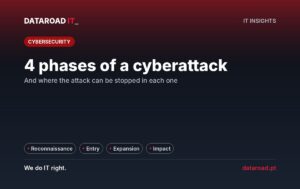
A page with the answer to the question “what if it happens?”. Who notifies whom, in what order. What gets switched off first (the affected network node, not the whole server). Who speaks to clients and suppliers and who does not. In which cases there is an obligation to notify the CNPD (72 hours, in the case of personal data) or, for entities covered by NIS2, the National Cybersecurity Centre. The contacts of the IT provider and the insurance company, printed out, because on the day of the incident the email might be down. The four phases of a cyber attack help to understand where each action fits.
7. Employee check-in and check-out policy
Input: account created with role permissions, MFA configured on the first day, equipment delivered with log, 30-minute session on these policies. Output: account deactivated on the last day (not the following week), email forwarding set up, equipment returned and checked, shared passwords changed, vendor accesses on behalf of that person revoked. Active ex-employee accounts are one of the most common failures we find in audits.
How to write and put into practice
Each policy fits on half a page. Write down what the company currently does well, add what is missing, and avoid prohibitions that nobody will follow — a rule ignored by everyone weakens the others. Get them approved by management, present them in a short session and ask for a signature. Review them once a year. In our contracts of managed cybersecurity We provide company-tailored templates for these seven policies and verify in the monthly report what is being technically complied with: active MFA, disabled accounts, tested backups.
Frequently Asked Questions
Does a 12-person SME need written policies?
You need the same seven, just shorter. Scale doesn't change the risks — it changes the number of people who have to read them. And in a small company, a person leaving without their account being deactivated has more impact, not less.
Do these policies apply to both the GDPR and NIS2?
They are part of the “technical and organisational measures” that both require. They do not replace the GDPR record of processing activities or the NIS2 risk assessment, but they form the foundation upon which those documents rely.
Who should sign the policies?
All employees with access to systems, including interns, temporary staff and management. The signature is not red tape: it is what allows enforcement of compliance.
How often do you see each other?
Once a year and whenever there is a relevant change: new management software, widespread remote working, security incident, legal amendment.
Would you like the seven policies adapted to your company?
We deliver the templates, adapt them to your reality and configure the technical side — MFA, access, backups — so that the theory matches practice. See our managed cybersecurity for businesses ou ligue +351 211 459 950.
DataRoad projects and success stories
IT Unlimited Essential
Desde 395 €por mês (+ IVA), para 10 postos
- Includes unlimited helpdesk, PC management, monitoring, patch management, and remote support
- Remote and telephone support only
no travel included - Ticketing support
with orders portal - Incident response with an SLA
- Update management
and security patches - Monthly activity report
- Helpdesk during working hours
by email and telephone - The price may increase with the number of stations, the size of the network, servers, websites, printers, NAS devices, critical systems, and Apple equipment.
IT Unlimited Premium
Desde 750 €por mês (+ IVA)
- Includes unlimited helpdesk, Microsoft 365 management, PC management, antivirus/EDR, monitoring, patch management, and remote support
- Unlimited in-person support
- With travel included
- Monitoring and alarm systems
- Complete IT infrastructure management
- Cybersecurity included
managed firewall and antivirus - Priority SLA
immediate response to critical incidents - No limit on hours
- Dedicated helpdesk
with priority in the queue - The price may increase with the size of the park and the network, servers, websites, printers and NAS, critical systems, and Apple equipment.
IT Unlimited Premium 365
Desde 1.200 €por mês (+ IVA)
- Includes unlimited helpdesk, Microsoft 365 management, PC management, antivirus/EDR, monitoring, patch management, and remote support
- Everything that’s included
no IT Unlimited Premium - 24 hours a day, 7 days a week, 365 days a year support
- Out-of-hours support: evenings,
weekends and bank holidays - Dedicated technical account manager
- Regular IT strategic alignment meetings
- Business Continuity Plan (Disaster Recovery)
- Priority access to network and infrastructure projects
- Customised executive reports
- The price may increase with the size of the park and the network, servers, websites, printers and NAS, critical systems, Apple equipment and off-hours coverage
Don't know which one to choose? Talk to us and receive a fixed-price quote · Como se calcula o preço
At DataRoad, technology is a passion. We really love what we do, and that shows in every network we install, in every problem we solve, and in every company we support.


































































![mun[it] logo, a digital marketing agency — a DataRoad client](https://www.dataroad.pt/wp-content/uploads/2026/09/logo-cliente-munit.png)






































