
DataRoad · IT Services and Consultancy
Clinics and Healthcare
Clinical data, properly
Clinical software, scheduling and GDPR in a field where downtime sends patients home.
Infrastructure, tested backups and access control designed for healthcare units, with the extra care clinical data demands — and proof that the restore works.
Talk to us
Access control and GDPR taken seriouslyRead More ...Backup and RecoveryClinical data with tested copies
And proof that the restore worksRead More ...



Information security and compliance appropriate to clinical data.
Service users, clinicians and equipment on separate networks.
Priority support during clinic hours.
Health sector
Clinical and Healthcare IT
In a clinic, a system failure is not just an administrative inconvenience — it means a full waiting room and an appointment book that cannot be recovered. DataRoad ensures that the clinical software, network and equipment are available when needed, and that patients’ data is protected as required by law.
What makes a clinic different from an office
The technology is similar. The context is not. In an office, half an hour without the system can be sorted out with a coffee; in a clinic, it means postponed appointments, tests that haven’t been entered into the system, and patients waiting for an answer that nobody can provide.
Availability above all else
Clinical software and connections to laboratories and insurance companies must be up and running during consultation hours. The maintenance window must be outside these hours, not during them.
Special category data
Health data is subject to specific provisions under the GDPR. Access control, logging and encryption are no longer merely best practices but have become mandatory requirements.
Medical equipment in the network
Ultrasound scanners, analysers and imaging stations often run on outdated systems that cannot be updated. Isolation is the only serious solution.
So many tasks, so little time
Surgeons’ offices, reception, nursing and billing departments need to be able to print, scan and access patient records in seconds — not minutes.
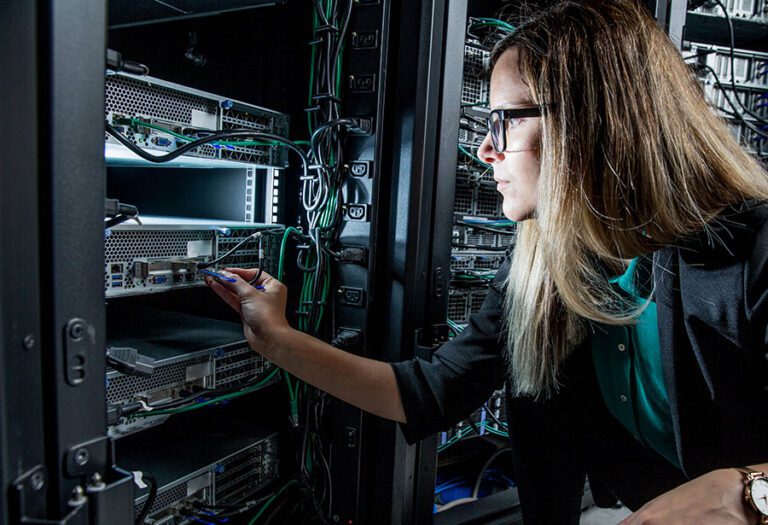
Segmentation is what distinguishes a clinic network from any other network
Most clinics operate on a single network: patients’ Wi-Fi, administrative workstations and clinical equipment all share the same space. All it takes is one infected laptop in the waiting room for the problem to spread where it shouldn’t.
We have split the traffic into separate networks, with firewall rules in place between them, and ensured that the old equipment is accessible only to those who need to access it. It’s a configuration change, not a budgetary one — and it completely changes the risk profile.
What we do at a clinic
| Area | This includes |
|---|---|
| Network and cabling | Certified structured cabling e enterprise wireless coverage in all offices, technical rooms and waiting areas. |
| Security | Firewall and VLAN segmentation (separate networks within the same infrastructure), isolating clinical equipment, patients' network and administrative network. |
| Servers and data | Servers, NAS and backup solutions with regular restoration tests and off-site backups. |
| Daily support | IT Unlimited — suporte técnico ilimitado a custo fixo, com monitorização permanente e resposta presencial quando é preciso. |
| Compliance | Support with the technical aspects of the GDPR: access control, activity logs, data retention periods and retention deadlines. |
Structured cabling in clinics: the network that segmentation requires
Separating medical equipment from the administrative network, and both from the guest network, is only possible if there are sufficient and well-documented network points. In an under-cabled clinic, segmentation always ends up being improvised — and an improvised VLAN is a VLAN that someone undoes at the first sign of an emergency.
Count the shifts by the worst day, not the normal day
A clinic with twelve consulting rooms doesn't need twelve ports. It needs workstations, imaging equipment, label printers, check-in kiosks, access points, cameras and access control — plus some headroom for the room opening next year.
- Clinical cabinets — medical post, diagnostic equipment and printer, each in its proper place.
- Image — X-ray, ultrasound and other equipment connected by cable, never by Wi-Fi.
- Admission and reception — service desks, kiosks and payment terminals.
- Infrastructure — access points, cameras, access control and the rack.
Medical equipment does not forgive an improvised network
An imaging system that drops its connection midway through a scan doesn't give a warning: it gives a failed scan and a patient who has to repeat it. That's why we connect medical equipment using patch lead, on its own VLAN, and we leave the Wi-Fi for things that can reconnect without consequence.
Building work in an operating clinic
We work in the evenings and at weekends, room by room, with the clinical system running throughout the building work. Not a single appointment is cancelled because of us. Every point is labelled and mapped, so that diagnosing is no longer a matter of guesswork.
Documentation, because the data is of a special category
We deliver the network map, the Fluke certification report for each point and the VLAN diagram. In a healthcare facility this is not bureaucracy: it is what makes it possible to demonstrate, under the GDPR, that the separation between clinical data and the rest of the network actually exists and is not just an intention. We explained the topic in why certifying the network is not optional.
Cabling projects in healthcare facilities
- Clínica Mulher, Twin Towers — 192 network points, Wi-Fi 7 and firewall.
- Lambert Clinic, Corroios — network, enterprise wireless and IT Unlimited.
- Wi-Fi in clinics — fast for the team, secure for patient data.
Wireless networks in clinics: three user groups under the same coverage
Staff, service users and equipment cannot share the network
The clinic's Wi-Fi serves three groups with opposing needs.
- The professionals they need access to the patient management software and internal systems.
- The service users They need internet in the waiting room and nothing else.
- The equipment — ultrasound scanners, label printers, check-in kiosks, triage tablets — require a stable connection and must be out of reach of anyone.
We installed enterprise wireless networks with these three networks separated at the network level, not just with different passwords: each one on its own VLAN, with its own rules on what can or cannot be reached.
Roaming, because the equipment travels with people
In a clinic, nobody stays seated in the same spot. A professional who leaves the consulting room for the treatment room with their laptop open cannot lose their session in the middle of the corridor.
This is what distinguishes a professional installation from multiple hanging routers: the access points are managed as a single system and equipment switches points without breaking the connection. Where the clinic uses Voice-over-Wi-Fi, this continuity ceases to be a luxury and becomes a requirement.
The waiting room is a density problem, not a reach problem
Twenty people sitting in the same room, each with a mobile phone, put more load on the network than a whole floor of offices. The usual mistake is to respond to this with more power, when the right answer is more access points at lower power and on well-distributed channels.
We carry out an on-site coverage survey, measuring by zone, and we size it according to the number of devices that will be there — not by square metres. choose between Wi-Fi 6, 6E and 7 That same account is chosen.
Wireless network projects in healthcare facilities
Na Clínica Mulher, in Sete Rios, we installed 192 network points and Wi-Fi 7 in a new unit. In the Lambert Clinic, in Corroios, the network and enterprise wireless were implemented in conjunction with IT Unlimited support. Regarding the logic of separation between the clinical network and the patient network, we wrote in detail in the article Wi-Fi in clinics and patient data security.
CCTV in clinics: the project starts where there cannot be a camera
In a clinic, video surveillance is useful for the same reasons as in any building open to the public — reception, entrances, access corridors, consumables and medication storage, parking — but the design of the system does not start with coverage. It starts with exclusion. An image captured inside an office or treatment room ceases to be a security issue and becomes the processing of health data, with all that entails.
That is why we treat the commercial CCTV in a healthcare facility as part of the network project, and not as an off-the-shelf extra.
First, the list of what's left out
Consultation rooms, treatment and examination rooms, toilets, changing rooms and staff rest areas cannot be monitored, and coverage cannot extend to the public highway. The waiting room requires a discerning approach: the entrance is filmed, not the people sitting waiting to be called.
That leaves the points where the council actually sorts something out:
- the entrance;
- the service counter;
- access to restricted areas;
- the medicine cabinet;
- the park.
Once this list is defined, the rest of the project is technical.
Signage, retention and access log
The obligations are concrete and verifiable:
- visible signage before each monitored area;
- retention period defined and adhered to — storing indefinitely is not an option;
- image access control, with a log of who viewed what;
- record of processing activities in the unit's data protection documentation.
Employees must be informed, and the purpose cannot be the monitoring of their performance. In a clinic, where the data is already of a special category, these specifics must be validated with legal advice — we deliver the technical compliance dossier with the system so that this validation has a basis on which to be carried out.
Cameras cannot share the clinical equipment network
An IP camera is a network-connected computer powered by its own cable. This necessitates two things that must be decided at the cabling stage: switches with PoE power margin for all cameras — without this headroom, random reboots occur that no one can diagnose — and a Dedicated VLAN, separated from the clinical stations, patient management software and imaging equipment.
The video is continuous heavy traffic, and recorders and cameras are among the equipment that receives the fewest updates. On a flat network, the corridor camera becomes the shortest path to the clinical process.
Who sees the images, and for how long
Image access is a user profile, not a shared password among whoever is at the counter. We install NVR recorders with encrypted storage, configured retention and backup of critical footage, with remote viewing on mobile and computer assigned per user.
The sizing of the recorder comes down to a single question — how many days you need to be able to go back —, multiplied by the number of cameras and the image quality. That is where off-the-rack systems fall short, deleting precisely the footage that was needed.
How does this connect to the rest of the infrastructure
Video surveillance is not a separate system: it uses the same structured cabling, the same switches and the same segmentation policy that separate the clinical network from the administrative network and the visitor network. That is how we worked at Clínica Mulher, in Sete Rios, and in Lambert Clinic, in Corroios, where the network was designed to receive cameras, access points and access control without any of these systems seeing the others.
To understand the decisions that determine whether images will be suitable, read our guide on IP video surveillance project for businesses; about the network itself, the article Wi-Fi in clinics and patient data security cover the same separation logic.
How we got started
Survey
We visited the clinic, carried out an inventory of the equipment, network and clinical software, and spoke to the staff who work there every day.
Diagnosis
We set out in writing what is at risk, what is urgent and what can wait — along with the costs associated with each item.
Execution
Procedures planned outside consultation hours, carried out in stages, without disrupting the clinic’s normal running.
Follow-up
Monitorização contínua, suporte técnico e revisão periódica da infraestrutura à medida que a clínica cresce.
Real-life cases
Comprehensive IT support under the IT Unlimited scheme, structured and wireless corporate networks, firewalls and printing systems.
Complete computer network in the Twin Towers, next-generation Wi-Fi, and continuous support under an IT Unlimited scheme.
View all DataRoad projects and news
Frequently Asked Questions
Do they use the same clinical software as us?
Yes. We do not sell clinical software, nor do we have any interest in replacing it. We ensure that the infrastructure on which it runs — server, network, workstations and copies — is capable of supporting it.
Does the clinic need to be shut down to carry out the procedure?
In the vast majority of cases, no. Cabling and equipment replacements are carried out outside office hours or in stages, room by room.
What happens if the system fails on a Saturday?
It depends on the contract. Plans with extended cover include out-of-hours support and a stock of replacement parts for critical equipment. That is precisely what a SLA must be stated in writing.
Does this ensure our compliance with the GDPR?
It takes care of the technical side: access, records, encryption, backups and deadlines. The clinic remains responsible for the administrative and organisational aspects — but these are much easier to manage once the technical side is in place.
A chat before making a decision
Whether you’re tackling a specific problem, planning a move or simply looking for a second opinion, we always start in the same way: by understanding your situation before making any suggestions. No obligation, no jargon and no catalogues.
Other sectors we monitor
- IT for the Hospitality Industry
- IT for Offices and Multinationals
- IT for the Public Sector
- IT for Embassies and International Organisations
- Computing for Schools, Colleges and Universities
Further reading
Cybersecurity Checklist for SMEs in Portugal
Cybersecurity checklist for SMEs in Portugal: firewalls, backups, MFA, VPNs and more. The essential safeguards explained by DataRoad.…
DataRoad blog articles and news
- IT for Clinics: What Changes in a Healthcare Facility
- National School of Public Health: computer cabling
- Lambert Clinic: cabling, Wi-Fi, firewall and systems
- Lambert Clinic (Corroios) — Total IT support by IT Unlimited, corporate network and wireless
- Women's Clinic (Twin Towers, Sete Rios) — Complete IT network, Wi-Fi 7 and IT Unlimited support
- Clínica Mulher: 192 pontos de rede, Wi‑Fi 7 e firewall – Gestão completa de IT Services Premium – MSP